Kiro
AI-Driven Developer IDE
Experience next-generation AI programming assistance. Kiro provides autonomous coding, intelligent context, and powerful development tools to elevate your programming efficiency to new heights.
Autonomous Coding Mode
AI automatically completes programming tasks, boosting development efficiency
Intelligent Context
Understand entire codebase to provide accurate suggestions
Powerful Toolset
Complete development toolchain with one-stop solutions
See Kiro in Action
Watch how Kiro transforms your development workflow with AI-powered features and intelligent assistance
Smart Hooks System
Discover how Kiro's intelligent hooks system automates your development workflow with event-driven AI assistance.
Getting Started
Learn the basics of interacting with Kiro's AI assistant and setting up your first project.
Advanced Prompting
Master advanced prompting techniques to get the most out of Kiro's AI capabilities.
Workflow Integration
See how Kiro seamlessly integrates into your existing development workflow and tools.
Code Generation
Watch Kiro generate high-quality code from natural language descriptions and requirements.
Advanced Features
Explore Kiro's most powerful features including autonomous development and intelligent debugging.
Ready to Experience Kiro?
Join thousands of developers who are already using Kiro to accelerate their development workflow with AI-powered assistance.
Download Kiro NowGo from vibe coding to viable code
Bring structure to AI coding with spec-driven development. Kiro turns your prompt into clear requirements, structured designs, implementation tasks validated by robust tests, and code generated by advanced agents.
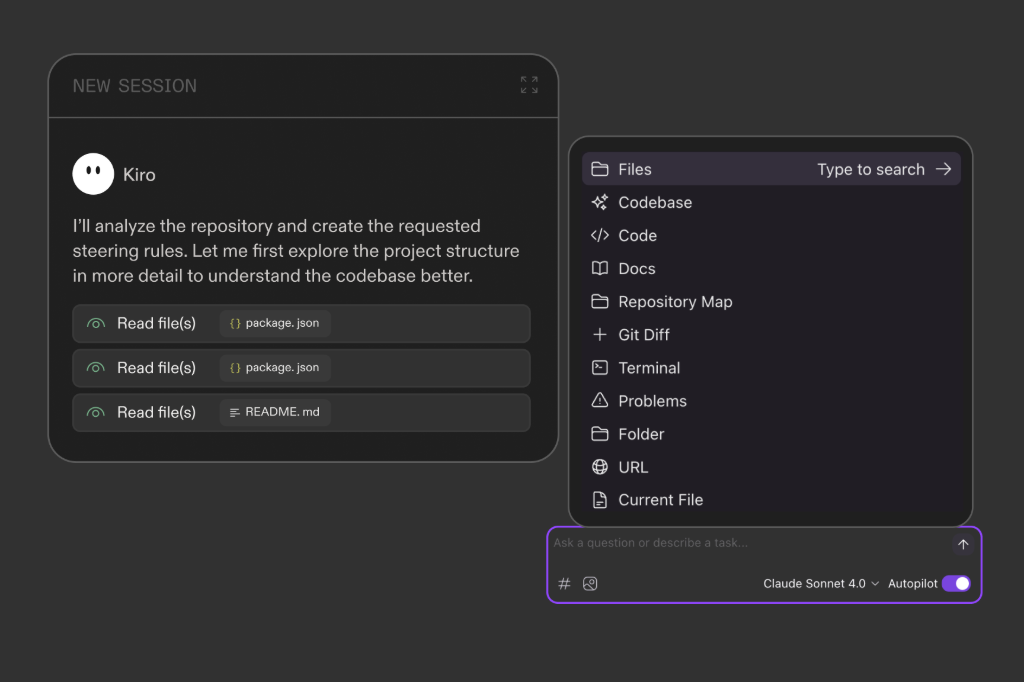
Built from the ground-up for working with agents
Multimodal chat, spec-driven development, agent hooks - Kiro gives you the best tool for the job in a fresh development experience that still feels familiar.
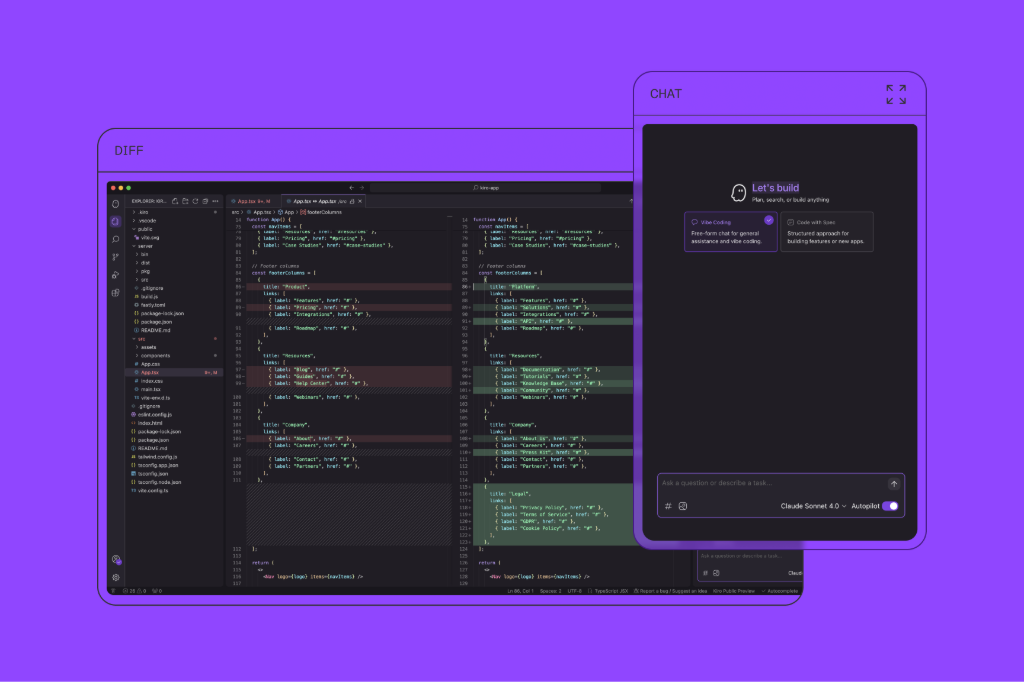
More context, less repetition
With specs, steering, and smart context management, Kiro understands the intent behind your prompts and helps you implement complex features on larger codebases, in fewer shots.
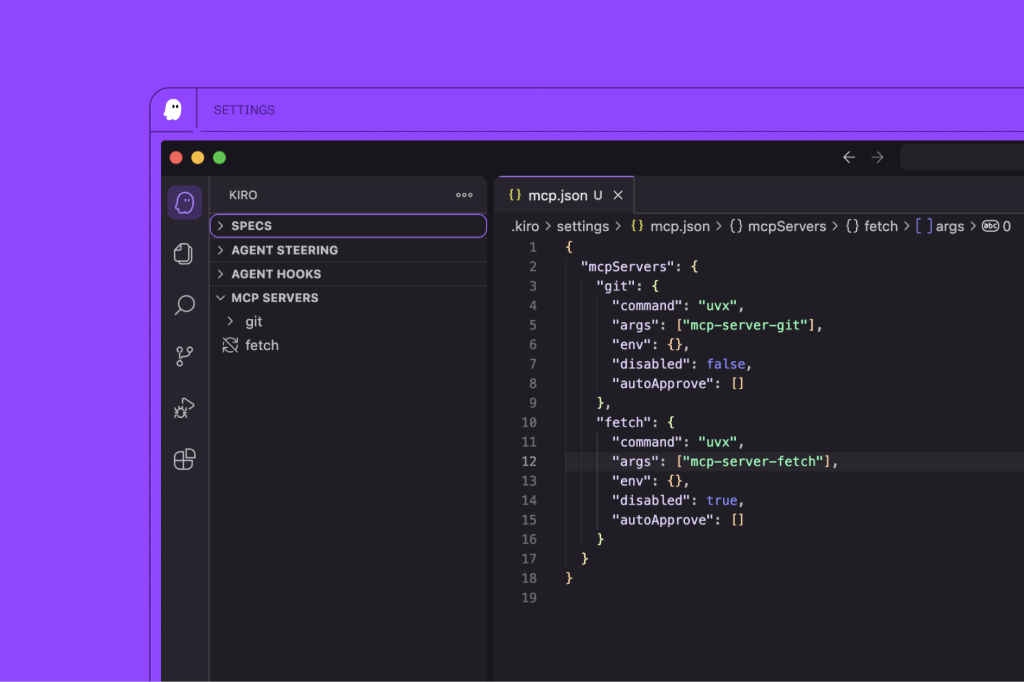
Integrate tools and data with MCP
Connect to docs, databases, APIs, and more with native MCP integration so you can bring your world where you work.
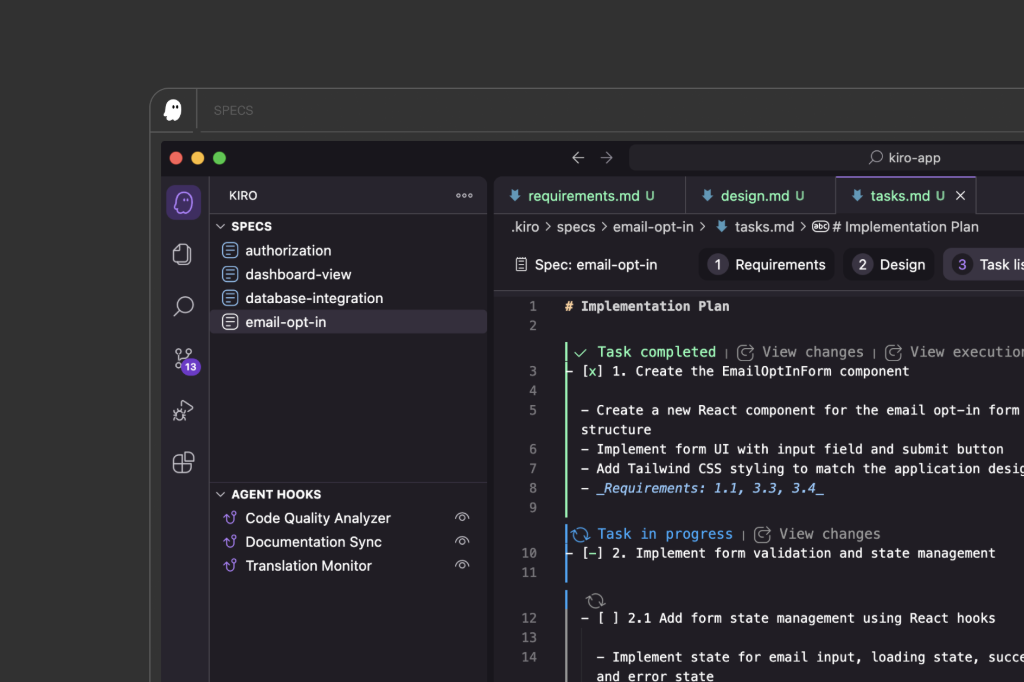
Enterprise-grade security and privacy
With enterprise-grade security and privacy, you can ship your best work with confidence.
It's the flow of AI coding, leveled up with mature engineering practices
Experience the perfect balance between AI-powered development speed and engineering best practices. Kiro brings structure to your AI coding workflow without sacrificing innovation.
Powerful AI Features
Kiro integrates cutting-edge AI technology to provide developers with comprehensive intelligent programming experiences
Autonomous Development Mode
Offers both autonomous driving and supervision modes, allowing AI to assist your development work at different levels, from simple code completion to complex feature implementation.
Intelligent Context Chat
Have intelligent conversations with files, folders, issues, terminals, and entire codebases. AI can understand your project structure and code logic.
Smart Steering System
Provide standards and guidelines for teams through steering files, including project information and task execution instructions to ensure development consistency and quality.
Spec-driven Development
A structured approach for feature building and documentation, achieving incremental development of complex features through iterations of requirements, design, and implementation tasks.
Smart Hooks System
Create automated agent hooks that trigger AI execution when specific events occur, such as running tests when files are saved, updating translations, etc.
Model Context Protocol
Supports MCP protocol, can configure and use various external tools and services, extending Kiro's functional boundaries for more powerful development experiences.
More Powerful Features
Kiro continues to evolve, constantly adding new features to enhance your development experience. From code generation to project management, debugging to deployment, Kiro provides intelligent solutions.
Learn Kiro Faster
Start with practical setup notes, MCP explainers, and troubleshooting guides before you jump into the download flow.
Guide Hub
Browse installation notes, setup guidance, and first-step tutorials.
Install Kiro
Choose the right build and complete your first launch safely.
MCP Setup
Learn when MCP matters and how to validate a working configuration.
FAQ
Read common answers about installation, support, and daily usage.
Reviews
Compare Kiro with Cursor and VS Code before choosing a long-term workflow.
Latest Guides
Fresh articles that help visitors understand Kiro beyond the download page.
Real Project Experience
A more grounded look at where Kiro helps most in real work.
Beginner Mistakes
See the most common early mistakes and how to avoid them.
Workflow Intro
Move from vague prompting to a more repeatable workflow.
Browse All Guides
Open the full guide hub for installation, setup, reviews, and FAQ.
Download Kiro Now
Choose the version for your operating system and start experiencing AI-driven development environment
System Requirements
Processor
64-bit processor, multi-core recommended
Memory
Minimum 4GB RAM, 8GB+ recommended
Storage
At least 2GB available disk space
Need help? Check out our installation guide or FAQ